

Services
The Services page in Curade Mini grades each service on its response time and failure rate, and shows its throughput, its hosts and its problems.
On this page
Services covers the services behind the applications: how fast they respond, how often they fail and how much traffic they carry. Engineers open it; Admins do not.


The list
Two tabs split the list, Services and Database, since the two are read differently. Each card carries the service's name and type, how many hosts it runs on, a grade worked out from its response time and failure rate over your window, and a badge saying whether it was active, inactive or reported no data.
- Inactive means the service handled no requests in the window although a host it runs on was up. No data means it reported nothing while its hosts were down or not reporting.
- A service that reported nothing has nothing to grade, so it is badged Not graded rather than healthy.
- A service that needs attention carries one plain line saying why, such as too many requests failing or no requests in the window.
- Search, Add Filter and Sort By work on both tabs, and the sort covers the three metrics and the number of hosts.
The service's page
- The header: name, grade, type, technology, management zones and tags, with Copy details.
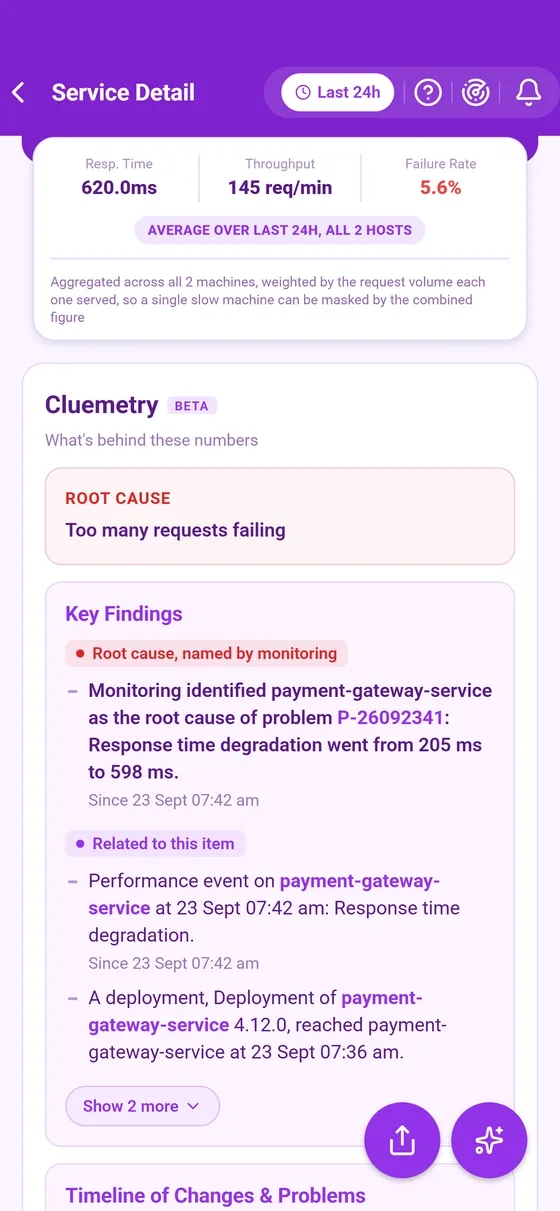
- The headline numbers over your window, with a line naming what they cover.
- What's behind these numbers (Cluemetry).
- Runs on host, with View host, and Change host when the service runs on several hosts.
- The relationship map: what calls the service, every host it runs on and everything it calls (Relationship map).
- The problems raised against the service inside the window.
- Charts of its request numbers, and of the CPU, memory and disk of the host in view.
Reading the numbers
| Number | What it means |
|---|---|
| Response time | The average time a request took over the window. A long window smooths a spike out of sight, so narrow it to see whether something is recent. |
| Failure rate | The share of requests that failed. |
| Throughput | Requests per minute. |
All three are counted per request, so a host that served ten thousand requests weighs far more than one that served a dozen. That is how a service can read calm across its hosts while one of them struggles: on a service with several hosts, pick the struggling host with Change host to read it alone, where the environment records request numbers per host.
The list grades a service across all its hosts, while the page grades the host in view, so a service healthy in the list can open as critical on one host. The page says so when it happens.
This page describes Curade Mini 1.0.0.