

Infrastructure
The Infrastructures page in Curade Mini tracks each host's health, its CPU, memory and disk use, its metadata and the problems on it and its services.
On this page
Infrastructures tracks the hosts in the environment, their health and their resource use. Engineers open it; Admins do not.
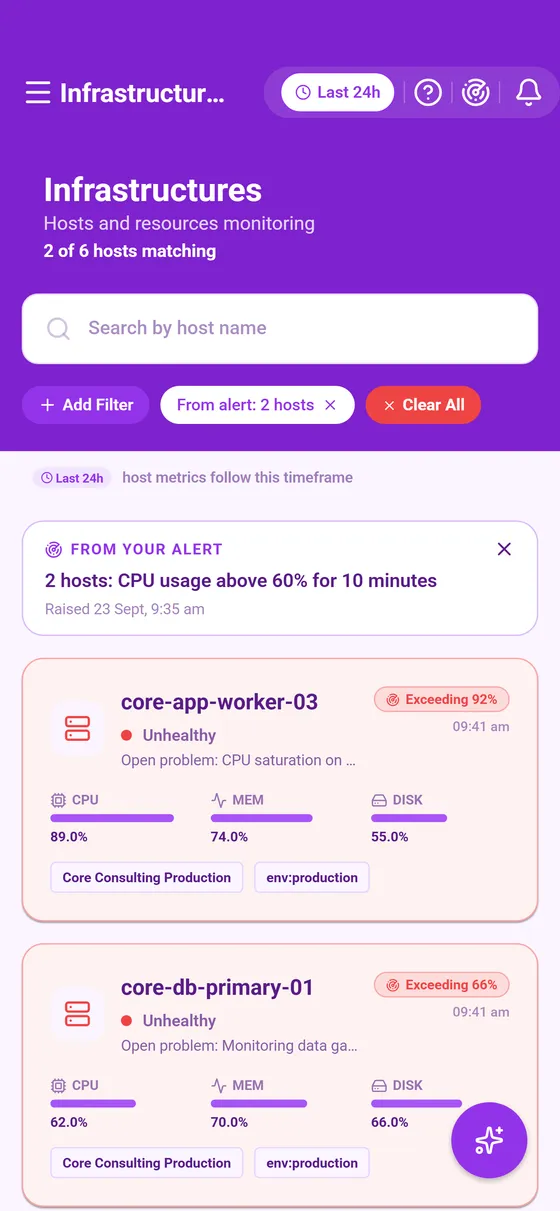


The list
Each card shows the host, its health and its headline resource figures. The health describes the host right now: widening the time window changes which hosts are in scope, never their health.
A host that is not healthy carries one plain line saying why. An unhealthy host names its open problem. A host whose health is Unknown says what monitoring recorded about it over the window, such as that it shut down, restarted or its monitoring agent stopped. When several hosts on screen share a reason, a line above the list says so.
On a custom range that ended in the past, every host reads as unknown, since health is only read live. Everything else on the page still covers the range you picked.
The host's page
- The header: the host's name and health, and its CPU, memory and disk averages, with Copy details.
- What's behind these numbers (Cluemetry).
- Infrastructure Details: the operating system, how the host is identified, the Custom Metadata your team sets on it, its management zones and its tags. A host in no zone reads No management zones.
- The problems raised against the host inside the window.
- The relationship map: the services on the host and what calls each of them (Relationship map).
- Problems on services running on this host: what those services ran into over the same window.
- Charts of CPU, memory and disk over the window.
Hosts and their services
Monitoring raises a problem against the item it detected, so a slow service is named as the service, never as the host underneath it. That is why a host can carry no problems of its own while the services on it are struggling, and why the page lists their problems in a section of their own. A row that says its service also runs on other hosts belongs to a service that runs elsewhere too, so this host is only one of the places it could have struggled.
Reading the charts
CPU, memory and disk are percentages over the window. The headline figure is the window's average while the chart plots each interval, so a calm average over a spiky chart is a real pattern worth a look. Tap a point to read that interval, and Why? explains it.
This page describes Curade Mini 1.0.0.